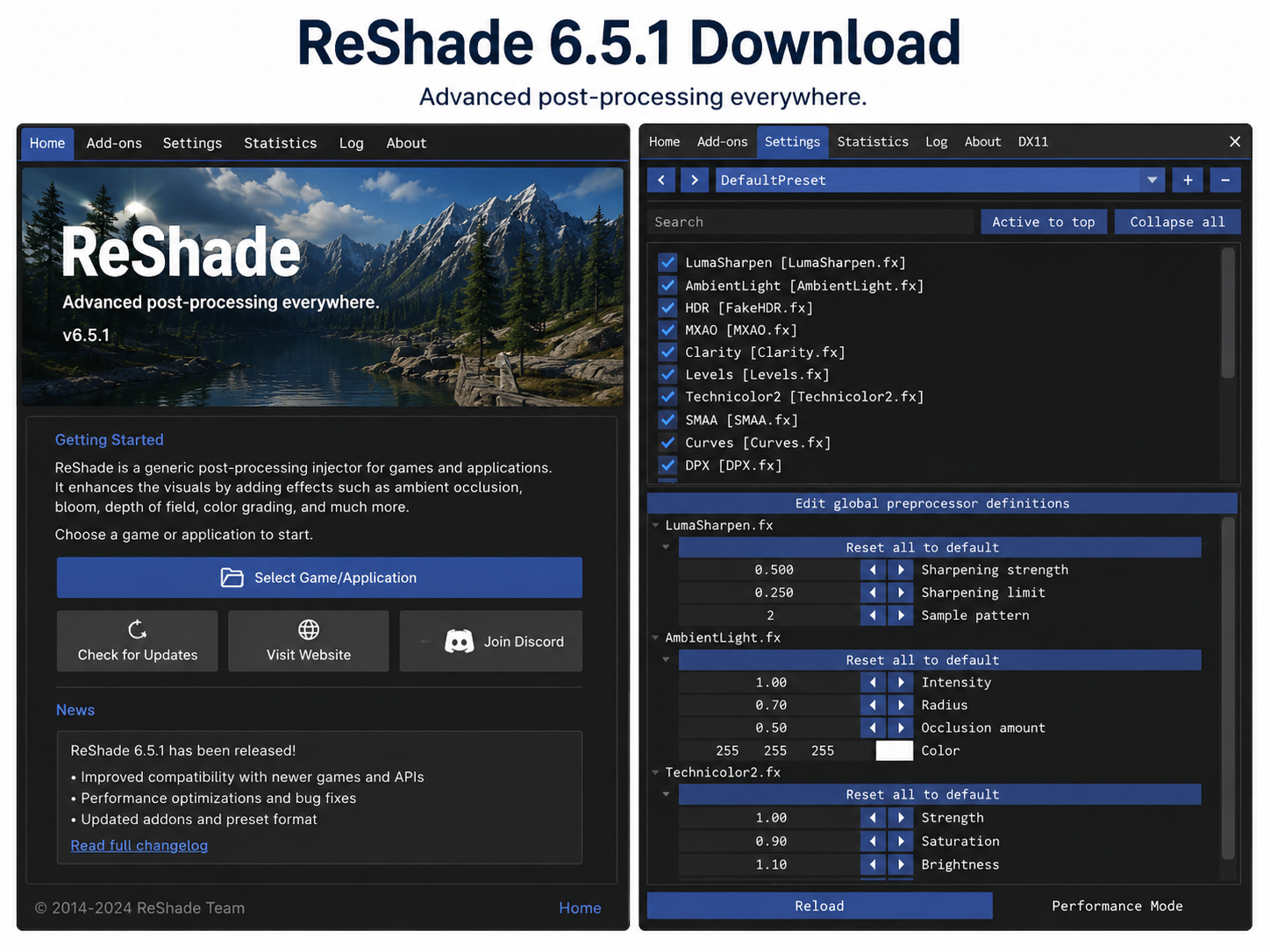
ReShade 6.5.1 is a free and extremely powerful program that enables you to make your PC gaming experience much better with some amazing post-processing capabilities. No matter whether you’re into gaming, video creation, or you simply like playing with graphics settings, with ReShade 6.5.1, you will get access to a great selection of real-time shaders that include cinematic depth of field, color grading, and many other effects.
ReShade 6.5.1 offers an improved compatibility with many games as well as optimized performance and increased stability. It’s a safe, free-to-use program available for both Windows 10 and Windows 11. Here you will find all the necessary information about its features, system requirements, and installation process.
What Is ReShade?
ReShade is an open-source post-processing injector developed by crosire. With ReShade, you will be able to inject shaders between your games and the graphics API without touching anything within the game itself.
ReShade is a shader injector that was first introduced back in 2014, but has since become one of the most widely-used and downloaded graphics modification tools for PC gamers around the globe. ReShade has a large library of community shaders and presets which can give users an almost instant change in the visual style of their game.
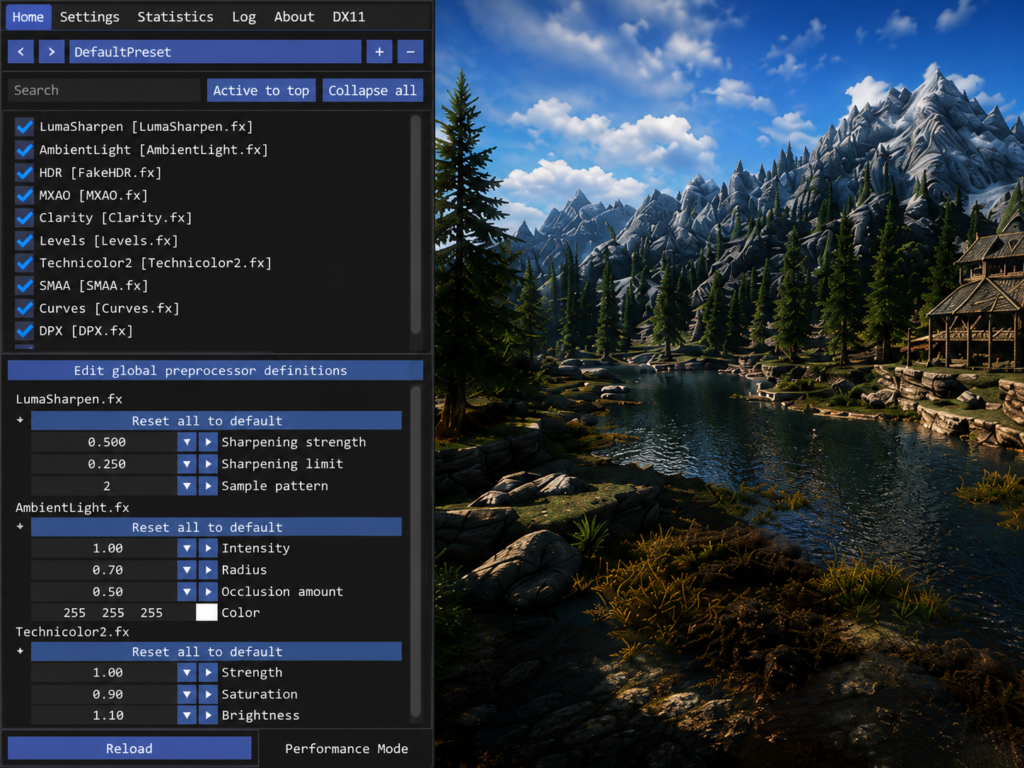
Supported Platforms:
- Windows 10 (64-bit)
- Windows 11 (64-bit)
- Compatible with DirectX 9, 10, 11, 12, and OpenGL/Vulkan
Note: ReShade is not available for Mac or Android. It is a Windows-exclusive desktop application.
ReShade 6.5.1 Key Features:
- Real-time post process effects such as SSAO, depth of field, motion blur and much more.
- Shader repository support – Excellent support for thousands of shaders available from the community (qUINT, SweetFX, etc.)
- Support for visual presets to quickly create, save and load visual presets in-game.
- Add-on API – Create your own plugins and add-ons with support of the ReShade developers
- FPS and performance overlay – Displaying performance stats and FPS right in-game
- Security – Advanced security features were implemented to safeguard users’ data.
- Overlay editor – Set effects within your game via the overlay editor.
- There is a secure option available for online play with other players, which is called network-restricted mode.Network-restricted mode is a secure mode of play when you are playing against other online players.
- Increased stability – Fixes for all issues that have been reported in previous version
- Absolutely free software – Open source software and no price tags.
System Requirements for ReShade 6.5.1
| Requirement | Minimum |
| OS | Windows 10 / Windows 11 (64-bit) |
| RAM | 4 GB |
| Storage | 50 MB (installer only) |
| Processor | Intel Core i3 / AMD Ryzen 3 |
| GPU | DirectX 9 compatible or higher |
| API Support | DirectX 9/10/11/12, OpenGL, Vulkan |
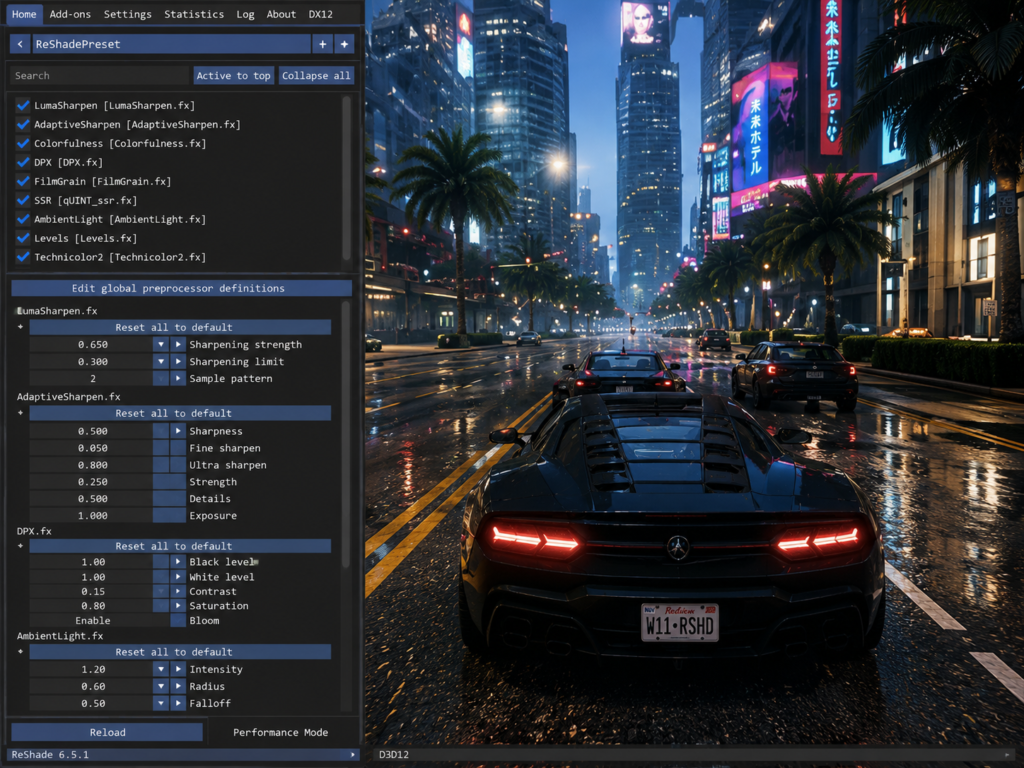
Instructions for Downloading & Installing ReShade 6.5.1
Installation of ReShade 6.5.1 is a simple process, here are the easy steps:
- Go to any trusted website or reshade’s official website.
- Click on the “Download ReShade 6.5.1” button.
- Make sure you download the installer file (.exe file) to your computer.
- Start the installation process and choose a game that you will apply ReShade on
- Look for the “.exe” version of the game
- Select the rendering API that the online game will run on (DirectX 11, DirectX 12, Vulkan, etc.).
- Choose the shader packs you would like to install (all default ones are recommended)
- Click “Finish” — ReShade has been installed in your game
- Start the game and hit the Home key to open the ReShade overlay menu.
- Use effects and set your desired preset
Pro Tip: Download ReShade from trusted websites only as there is a risk of getting some kind of malware if you do not.
Pros and cons of ReShade 6.5.1:
Pros:
- 100% Free (no subscription or in-app purchases)
- A large library of user-made shaders.
- Quickly installed on a game-by-game basis.
- Works with hundreds of games!
- Invisible, no harm in games (no changes to game files)
- Kept up and updated by the developers regularly
Cons:
- Some online multiplayer games could be banned if they detect ReShade.
- Hard to use shaders, needs some technical skills
- Does not run on Mac or Android devices
- May have a dramatic impact on the FPS on budget computers.
Is ReShade 6.5.1 Safe?
Yes, ReShade 6.5.1 is safe to use, as long as it’s downloaded from any trusted site. It’s an open source project, with community auditing of source code.
Safety Recommendations:
- Download ReShade from trusted sites only!
- Never use cracked or modded versions of ReShade – they can be infected with malware
- Run a virus scan on the installer using Windows Defender or any other reputable anti-virus program!
- Remember that in competitive online multiplayer games, anti-cheat systems such as Easy Anti-Cheat may be able to detect ReShade. ReShade also has a “restricted mode” which is optimized for competitive games, and will not give you access to the depth buffer.
Alternatives to ReShade 6.5.1
- SweetFX — SweetFX shader suite (part of ReShade). Basic Color Correction for novices.
- NVIDIA RTX Remix is NVIDIA’s old game remastering software. Requires an RTX graphics card and is only compatible with select games.
- ENBSeries — A graphics injector for Bethesda titles, such as Skyrim and Fallout.
Conclusion
The verdict is in – ReShade 6.5.1 is the way to enhance your PC game visuals. From realistic graphics to competitive edge, whatever enhancements you require, ReShade will provide at no cost.
This app is recommended for:
- Computer gamers who wish for a higher-quality gaming experience in single player mode.
- Screen capture artists/content creators.
- People who want to record their gameplay in a more professional manner.
- For Windows 10 and 11 users who wish to enhance the appearance of their games without spending a dime, ReShade 6.5.1 is the recommended app.
What are People Also Asking?(FAQs)
- Is ReShade 6.5.1 free?
- Yes, it is possible to download without paying any fees.
- Is ReShade 6.5.1 compatible with Windows 11?
- Yes, ReShade 6.5.1 is also 100% compatible with Windows 10 & 11.
- Is ReShade for Mac?
- Official support is provided for Windows computers, but can be used on Mac computers by using compatibility layers.
- Does Android phones have an APK version?
- There is no APK version for ReShade 6.5.1 for Android.
- What is the newest version of ReShade?
- ReShade 6.5.1 is the newest version available.